What steps are the smartest companies taking today to prepare their meeting rooms for tomorrow?
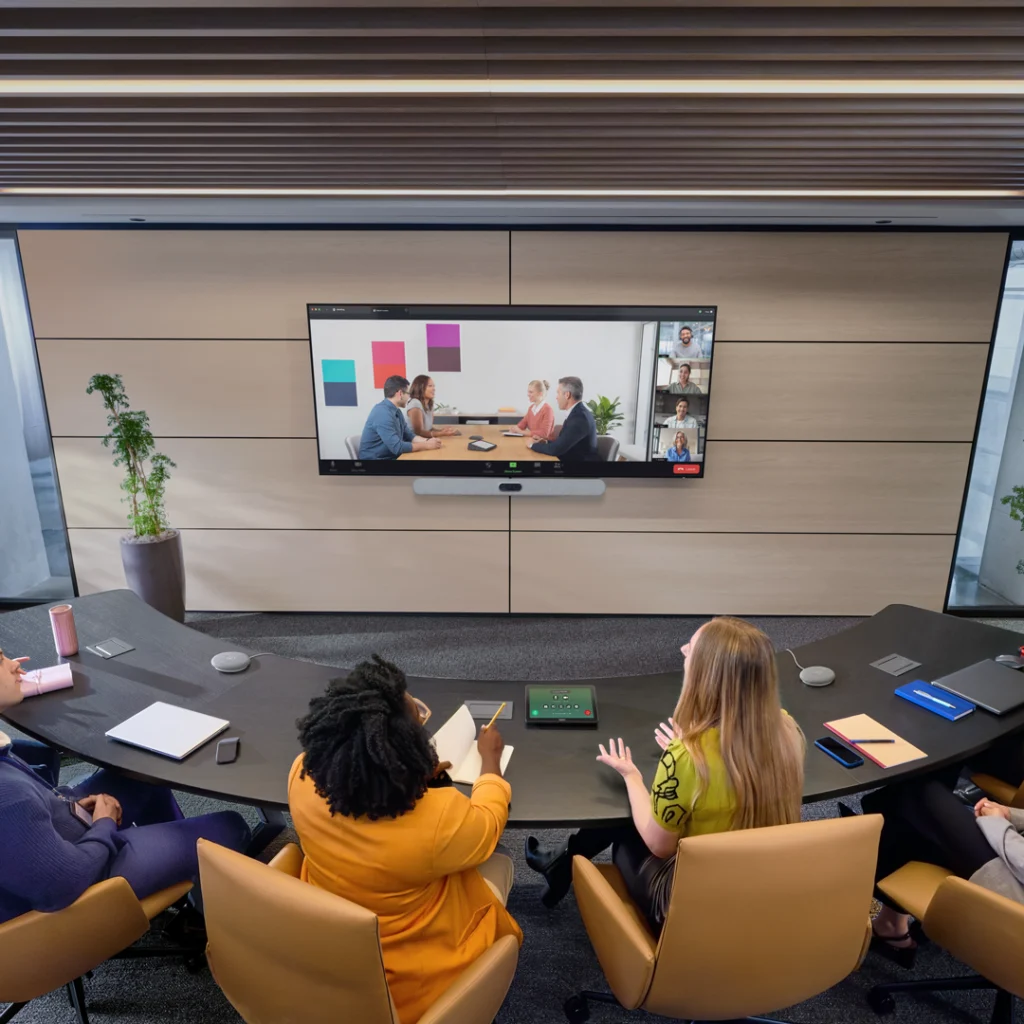
For IT teams, deploying workplace technology is like an endless game of catch-up, with the rules changing every six months. Just as a team gets comfortable with a new system, a fresh video platform emerges, an AI assistant is launched, or hybrid work policies are adjusted once again. Constantly retrofitting meeting rooms with new equipment is not only costly and a heavy burden on IT teams, but it also drains the energy of everyone else involved in the meetings.
IT leaders know that physical workspace infrastructure must evolve in tandem with emerging technology. Future-proofing isn’t just about downloading the latest software updates; it’s about deploying physical hardware in the office that can adapt, evolve, and improve over time.
8 Ways Savvy Companies Are Future-Proofing Their Meeting Rooms
We have high expectations for our meeting rooms—we want them to be hubs for intelligent collaboration, rather than the sterile, impersonal spaces they once were.
So, how are the smartest companies preparing for the changes ahead? The key lies in making strategic shifts that address immediate challenges while laying a foundation for future technological advancements.
Deploy meeting room equipment with robust processing power.
Your meeting room hardware should not only deliver exceptional performance today but also possess the headroom to meet future demands. The Logitech Rally Bar 2 [1], for instance, is powered by the latest Qualcomm Dragonwing chipset, enabling it to handle intensive AI workloads directly on the device. This dedicated onboard processing power allows the hardware to manage demanding AI tasks with ease—no extra computers or servers required.
Provide multi-view perspectives for hybrid meetings.
The best meeting experiences keep employees highly engaged, even in a hybrid setting. Instead of relying on a single, wide-angle shot that shows everyone in profile, modern cameras can dynamically frame each participant in their own individual video feed. This allows remote attendees to see everyone head-on, creating a more immersive, “in-the-room” feel. Features like automatic speaker tracking—which follows participants even when they stand up to move toward a whiteboard during a brainstorming session—make interactions feel more natural and fluid. Real-time monitoring of environmental health helps maintain optimal air quality (CO2 levels and particulate matter) and temperature, ensuring employees remain alert and comfortable. By safeguarding employee well-being, organizations can reduce fatigue and absenteeism while optimizing daily productivity.
Automate workspaces through occupancy detection.
According to VergeSense, 37% of scheduled meetings globally are “ghost” meetings—instances where a room remains booked despite no one attending. By using occupancy sensors, you can automatically release booked rooms when they are left unoccupied, making them available for others. This saves employees the time spent searching for an open room and helps you optimize space utilization.
Co-design your spaces.
According to the “Workplace Equation 2026” report by Logitech, only 24% of organizations involve their IT/AV teams at the start of the space-planning process. This often means technology is introduced only after room designs are underway or finalized, forcing IT to support or retrofit spaces they had no hand in creating. By bringing IT, facilities, and workplace experience teams together early in the planning phase, you can design spaces that address everyone’s needs.
Centrally manage and update equipment.
The more rooms and locations a company has, the more challenging it becomes for the IT department to manage them. Centralized device management allows IT teams to keep video conferencing equipment up to date without needing to physically visit 50 different rooms across three floors. Tools like Logitech Sync provide a unified dashboard, enabling IT staff to check device health, deploy security patches, and monitor room environments.
Use meeting room data for continuous space optimization.
Future-proofing meeting rooms goes beyond equipping them with advanced AI-powered video conferencing features; it requires a deep understanding of how these spaces are actually used. As team members adopt staggered schedules, facilities and IT leaders need accurate utilization and occupancy data—rather than guesswork—to determine if, when, and how to redesign, reconfigure, or renovate meeting spaces.
Prioritize sustainable equipment. Naturally, you want your video conferencing equipment to deliver an exceptional meeting experience—but if it also helps reduce your carbon footprint, you get the best of both worlds. You can achieve both by investing in devices made from recycled materials that are also easy to recycle, such as the Logitech Rally Bar 2. This next-generation video conferencing solution incorporates post-consumer recycled plastics and a durable, unibody aluminum design; its modular construction also ensures that it can be easily disassembled and recycled at the end of its lifecycle.
The lesson for today’s business leaders is simple: preparing for the future is not a passive endeavor—it requires proactive investment in flexible, intelligent hardware that continues to grow smarter over time.